
LEARN MORE ABOUT THE EDITING LABS
If you have questions please contact the Film and Video Studies office, below.

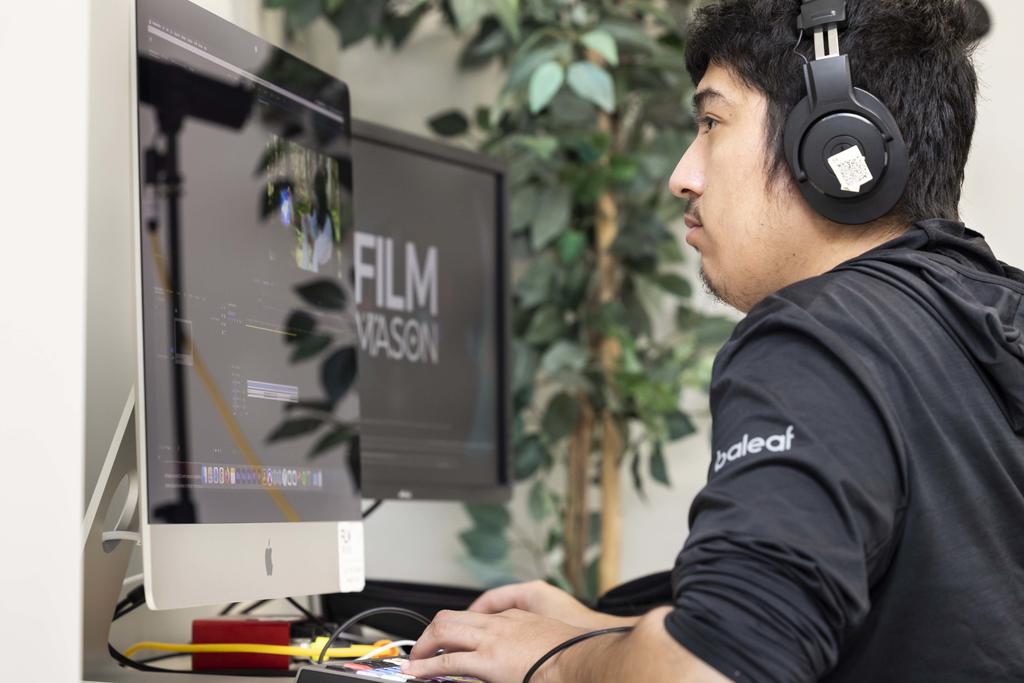
Students with Producing Professor Lisa Thrasher on color correction notes for a project in our dedicated color correction suite.
Almost anyone can edit a video or write a script on their phone or computer. Film and Video Studies labs are built around not just great tools but bringing students together and learning the importance of writing and editing in a collaborative environment.
Advanced Postproduction Suites
Located in College Hall, Room C100. The Film and Video Studies department has dedicated suites for Audio Recording and Mixing, Color Correction, and Archival work. Students also get access to lounge space, and an open lab.

Jason Cortez Creativity Lab
Located in the Performing Arts Building, Room 3019. The Jason Cortez Creativity Lab is a collaborative space for students to promote collaboration for both pre-production and postproduction. Named after FAVS Alum Jason Cortez (‘16) who we tragically lost too soon, Jason was instrumental in creating a collaborative culture amongst his peers and was an active member of our alumni Community.
The lab, with open computers loaded with software for pre-production and postproduction, also has space for students to have production meetings, is also used for the FAVS workshop series which brings students, faculty, and often times alumni together to share and discuss tips and tricks for growing their filmmaking practices.
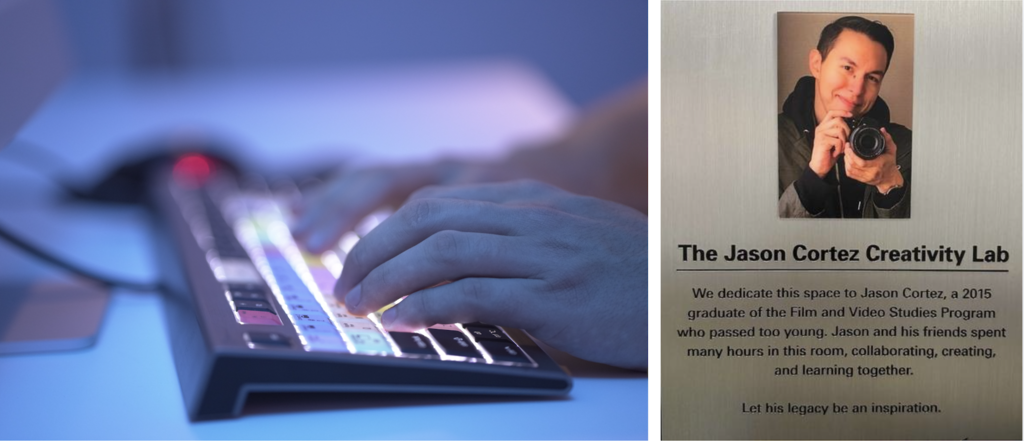
The Jason Cortez lab was named to honor the memory of Film at George Mason alum Jason Cortez.
AB2001 GAME/FAVS Classroom

Located in the Art and Design Building, Room 2001, is a classroom that is used by both the Computer Game Design Program as well as Film and Video Studies. Students often find themselves in Screenwriting and Editing Courses in this classroom. Its a great opportunity to cross paths with students from other similar disciplines within our major and is a great example of Masons interdisciplinary approach to education.
Software Update Policy
Film and Video Studies strives to keep its labs in working order. To do so, software and operating system upgrades are strategically initiated at specific times in an academic year, which is between semesters ONLY and never during a semester. Updates are fully vetted and recognized to be compatible before completed.
Per post-production best practices, upgrades are never done immediately after new software and OS versions are released. We encourage you to follow these same practices with your own systems. It is never a good idea to update your editing software or operating system while in the middle of editing a project. We encourage you to complete your project first, back up both the project and your system (as always) and then perform software updates. Following Apple guidelines, updates should never be done without backing up your system and files first.
For more information on the software and versions currently running in our labs, please see below. Note: The systems run Deep Freeze so all freeware that is installed or updated is erased at midnight. To report system or software problems please send an email with your questions and/or concerns.
Technical Requirements and Recommendations
Tech Letter
Each summer—typically in late May or early June—we send a technical requirements and recommendations letter to students enrolling as new FAVS majors for the upcoming academic year. This letter provides up-to-date guidance and some available pricing on the computers, hard drives, headphones, and other technical peripherals we recommend to support student success.
The updated letter is also posted on the FAVS Undergraduates Course page in Canvas, ensuring students have year-round access to this information. Additionally, printed copies are available in our post-production labs and at the equipment cage.
As technology is ever evolving and market forces will affect availability of some items, we ask that families and students refer to the letter for up to date and relevant information, but we have provided some of the general guidance below.
The Mason Computing Requirement
George Mason University does not currently have a computing requirement for students.
However, the realities of current Post-Secondary Education require students to have access to a personal computer, and due to the intensive computing requirements, that are associated with Film Production and Post-Production, we encourage students to invest in a system with sufficient RAM, processor, and storage. We believe a Mac, or a PC is the best option for most students.
We DO NOT recommend a netbook (such as the Chromebook) as a primary workstation.
APPLE COMPUTERS – HIGHLY RECOMMENDED
All our edit labs and auxiliary facilities are equipped with Apple computers. We find this platform to be very stable for editing and integrate well within the university.
As an industry standard for video post-production, we find that these systems are the most sensible investment for our students and program.
Our general practice is to recommend a mid-range processor MacBook Pro or a mid spec’d iMac with upgraded ram and storage. Please review the technical requirements and recommendations letter for that year’s specific recommendations.
*We strongly recommend you purchase AppleCare+, which extends the 1-year Apple Warranty to 3 years and adds accidental coverage.
External Hard Drive - REQUIRED
Before enrolling in any Film Production Class, students must purchase a portable external hard drive for media storage and editing work. We require one and recommend two. You will use one for your primary work and one for back up. Projects may not be saved to our workstations. As you will bring the drive to classes and to the various editing labs, it must be portable.
Headphones – REQUIRED
Headphones are required for all students when working in the editing labs. You will need a good pair to do everything from recording on-set audio, to editing your projects in our labs, to completing your final mix.
Purchase headphones with 2 very important features:
· Studio grade headphones with flat EQ. Flat EQ headphones are designed to give an unbiased representation of high, mid, and low frequencies, so you can mix your audio according to what you have in your edit. (Beats by Dr. Dre and Bose are not recommended for this reason.)
· Headphones should be “closed back” with soft cups surrounding your ear that do not project sound outwards. We discourage earbuds for critical sound work.
SD Cards – REQUIRED
Before enrolling in any Film Production Class, students must provide their own SD Cards. SD Cards are the primary format used for recording media from our cameras and audio recording devices. Any other specialized media will be provided by the department.
We encourage students to own between 2-4 SD cards, with some form of a storage case.
Software – Recommended
During your time in the Film Program, you will be exposed to a variety of different editing platforms and post-production tools. These include Adobe Creative Cloud, Da Vinci Resolve, Final Draft, Avid Pro Tools, Apple Logic, and more.
You are welcome to explore and purchase these products to use on your own systems. Please note that we update our stations annually in August. Please review our Software Update Policy and check for the current version we are running. Subscription-based software is either renewed annually and/or paid for monthly.
Information on how to subscribe to or purchase the above-mentioned software can be found below. Please note, editing software requires certain computer specifications/hardware and you should pay close attention to these before you download them onto your machines.
Adobe’s Creative Cloud: We currently use Adobe Premiere as the basis of how we teach editing at Mason. Although students will explore a variety of post-production tools, Premiere is one of the primary platform’s students use throughout the program.
All students will need a free Adobe ID to use Creative Cloud software on campus computers
(instructions will be made available in all classrooms and labs), but many students may opt to purchase their own license that they can use at home.
Adobe offers special pricing on their software for Students and Teachers. You can access their pricing on Adobe's Website.
Da Vinci Resolve: Black Magic Design offers a free version. The full studio version costs $295. More information can be found on the Black Magic Design Website.
Final Draft (HIGHLY RECOMMENDED) is an industry standard tool for writing and formatting your scripts and may be required in some of your classes. Similar to Adobe Creative Cloud, students can get access to Final Draft for free as part of their enrollment in screenwriting courses. However, some students may opt to purchase their own license to maintain their writing practice outside of screenwriting courses.

Film and Video Studies students get training and access to a variety of software in their time at Mason.
Students are trained to try and experiment with a variety of different tools such as Adobe Premiere, Da Vinci Resolve, After Effects, Pro Tools, Final Cut, and more.
A full list of all the supported software our program has available in our labs can be found on Canvas.
Postproduction Resources
Additional Mac Labs on Campus
Innovation Hall Room 233
STAR Lab
Editing Certifications
Da Vinci Resolve Certification (Free)
Adobe Premiere Certification Available Via LinkedIn Learning
To learn how to sign up for LinkedIn Learning for Free via Mason: https://lil.gmu.edu
Screenwriting Software
Final Draft Student Discount
Free Filmmaking Software We Love
Shot Designer
Storyboarder
Avid Media Composer First
Da Vinci Resolve